
















Lead capture

Never lose a contact again

Contacts leave their details on your card, or AI reads their card and badge. Everything lands in one list, ready for your CRM.

  • Form included in the Free plan
  • AI card and badge scanner
  • Automatic follow-up email

200+ companies already collect their contacts with Bitaqa

Form

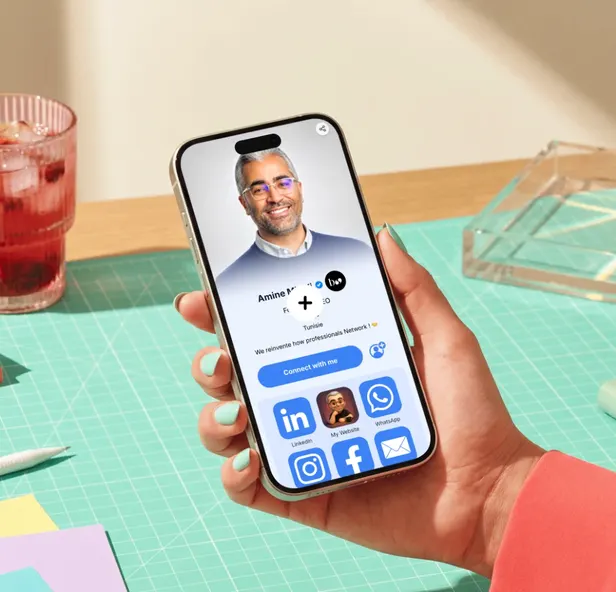
“Connect with me”, on every card

A button on your profile opens a short form: name, email, phone, company, job title and message. The lead lands in your list and you get an email.

  • Available on every plan
  • Privacy notice shown to the visitor
  • The lead is linked to the card that received it

AI scannerPro

A photo of the card or badge, and the record fills itself

AI reads the name, job title, company, emails, phones, websites and socials. On a badge, it also reads the event and the badge category. If the card carries a QR code, it is read first.

  • Camera with auto-capture, or JPEG, PNG, WebP import up to 8 MB
  • You review every field before saving
  • Duplicates are refused
  • The photo is not kept
Scan from the Bitaqa mobile appDownload on theApp StoreGet it onGoogle Play

Lead list

All your leads, sorted at a glance

Search, sort and filter by date, team or card, source (form, AI scan, manual entry) and score tier. Add a note, export to CSV or VCF.

  • AI score and enrichment shown in the list
  • Manual lead entry (Pro)
  • CSV export with the score columns (Pro)
See lead intelligence

Follow-upPro

The follow-up email sends itself

Everyone who leaves their details gets a confirmation email with a link to your card. You stay top of mind without thinking about it.

  • Sent right after the form
  • Link to your digital card
  • You get an email for every new lead
In detail

Fast in the field, nothing without your OK

  • Cards and badgesPick the document type: AI adapts what it looks for.
  • QR codes readA QR code printed on a card is decoded and preferred over reading the image.
  • Nothing without your OKNo lead is created until you've confirmed the fields.
  • Every lead's sourceForm, AI scan or manual entry: you know where each contact came from.
  • Team viewTeam leaders see their team's leads.
  • Scan credits20 scans included every 3 months with Pro, then packs from 5 TND excl. VAT.

What happens next

Every lead goes to your CRM

HubSpot, Salesforce, Zoho, Pipedrive, Dynamics 365, Odoo, Dolibarr or Zapier: sync is automatic.

FAQ

Lead capture

All questions
Do my visitors need an account?

No. The “Connect with me” form opens from your card, in the browser. Only the name and email are required.

Does the scanner work on trade show badges?

Yes. Choose “badge”: AI reads the name, company and job title, plus the event name and badge category when they're printed.

How much does a scan cost?

Each scanned document uses one credit. Pro includes 20 scans every 3 months; packs of 20 to 250 scans are available, valid for one month, from 5 TND excl. VAT.

What happens to scanned photos?

The photo is read by an AI service to extract the details, then it is not kept. Only the fields you confirm are saved.

Can I change the form fields?

The form is the same for everyone: name, email, phone, company, job title and message. It stays short so your visitors fill it in.

No more business cards in a drawer

Start with the free form, move to the AI scanner whenever you like.