















Digital business card

Your business card, always up to date

A complete professional profile, shared with an NFC tap, a QR code or a link. New job or number: change it online, nothing to reprint.

  • Free for one user
  • Edit it any time
  • More than 40 link types

200+ companies already share their cards with Bitaqa

Profile

Everything that introduces you, on one page

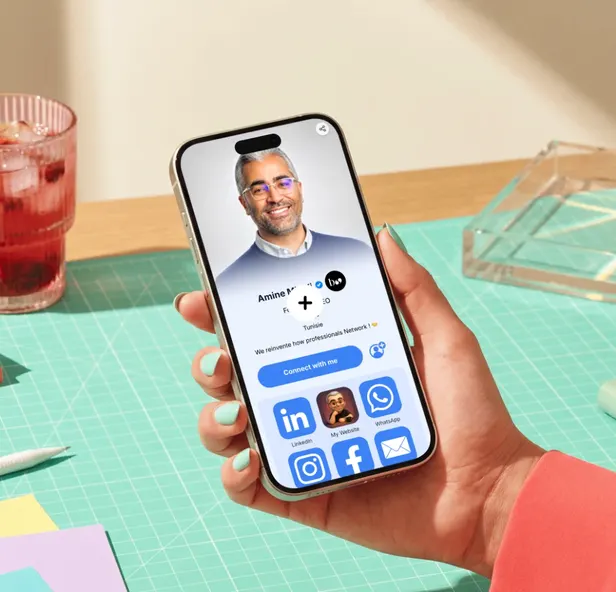
Photo, cover image, logo, job title, company, city and bio. Several phone numbers and email addresses, plus sections for your links, a YouTube video and a photo gallery.

  • More than 40 link types: WhatsApp, LinkedIn, Calendly, Google Reviews, Flouci, D17, TripAdvisor…
  • Drag-and-drop link order, custom icons and descriptions
  • Your login email is hidden from the contact file by default

DesignPro

A layout that looks like you

Three layouts (centred, list or portrait), eight ready colours or your brand's exact colour code. The mobile preview updates as you edit.

  • Centred, list or portrait
  • Brand colour down to the hex code
  • Your logo in the middle of your QR code

Sharing

Five ways to share, no app to install

A tap with your NFC card or tag, a QR code, your my.bitaqa.tn/c/your-name link, your Apple Wallet or Google Wallet pass, and your email signature.

  • Offline QR code: it holds your whole vCard and works with no signal
  • QR code downloadable as PNG, SVG or JPEG
  • Wallet pass sent by email (Pro)

Contacts

An exchange that goes both ways

Your contact saves your contact file (.vcf) in one click. With “Connect with me”, they leave theirs too: it lands in your contacts and you get an email. Handed a paper card? The AI scanner digitises it from one photo (Pro).

  • Contact file that works on iPhone and Android
  • Form with name, email, phone, company, job title and message
  • Automatic follow-up email with your card link
Explore lead capture
Included

The extras of your digital card

  • Email signatureYour photo, QR code and card link in every email, with guides for Gmail, Outlook and Apple Mail. Unlocked when you activate an NFC product.
  • Apple Wallet and Google WalletProYour card in your phone's wallet, sent by email.
  • Offline QR codeYour whole vCard inside the QR code: it works at the back of a trade show with no signal.
  • Your personal linkmy.bitaqa.tn/c/your-name, with a name availability check.
  • Views and tapsHow often your card is opened and which links get clicked.
  • Bilingual interfaceVisitors view your card in French or English.
FAQ

Digital business card

All questions
Does my contact need to install an app?

No. Your profile opens in the phone's browser after an NFC tap, a QR scan or a click on your link. They save your contact file in one click.

Can I edit my card after sharing it?

Yes, any time from your account. The link and the online QR code stay the same, so your contacts always see the latest version. The offline QR code holds your details as they were when you generated it.

What is free?

The Free plan includes one card, up to six links, the QR code, the contact form and your profile's views and taps. Pro adds themes, unlimited links, Wallet, export, the AI scanner, lead scoring and enrichment, teams and CRM.

What's the difference between the online and offline QR code?

The online QR code holds the link to your profile, always up to date. The offline QR code holds your contact file itself, so it saves even without an internet connection.

Do I need an NFC card?

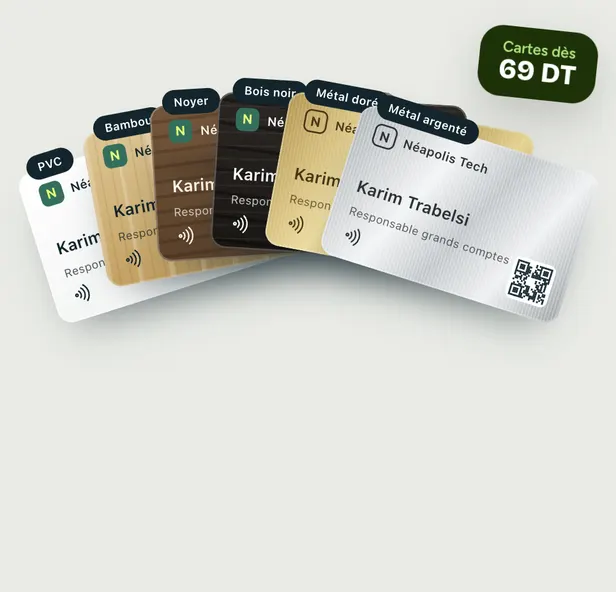
No. The QR code and the link are enough to share your profile. An NFC card or tag makes sharing faster, and activating one unlocks the email signature.

Create your card in a few minutes

Free, no credit card. Add an NFC card whenever you like.